Welcome Beta Testers!
If you are reading this, it means you have signed up to test the Jackbox Games Streaming Service!
You are some of the first people to try this out, so please be aware that there are likely numerous issues that we will need to take care of before it is released to the general public. We are so grateful for your help as we try to make this the best destination for party games on the Internet!
This beta test is currently only available to those with Google TV or FireTV compatible streaming devices.
Instructions
1. Install App
Google TV Installation Instructions
The Jackbox Games app needs to be installed on your Google TV device. To do so, go to this link in a browser: https://play.google.com/store/apps/details?id=com.jackboxgames.streaming
Note: Make sure you are logged into this page with the same account you use for your Google TV device.
Click the button labeled “Install on devices” or “Install on more devices”
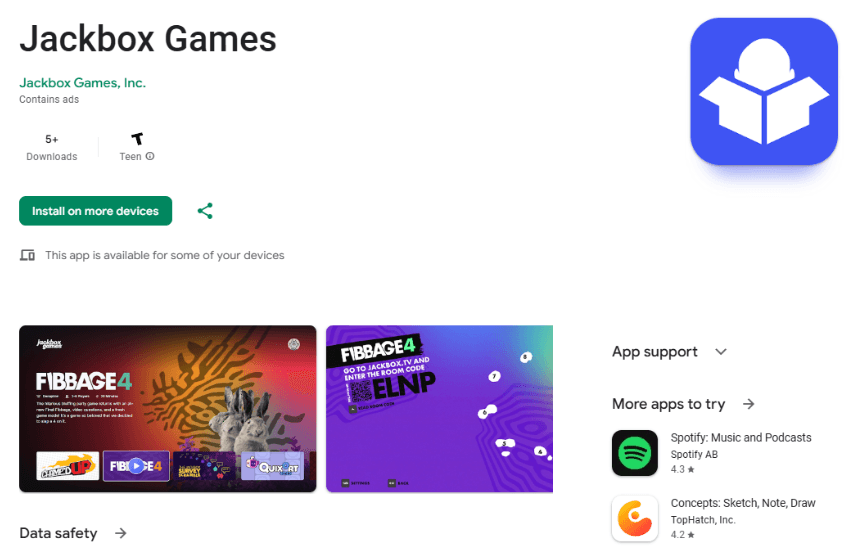
Select the device you would like to install on and select “Install.”
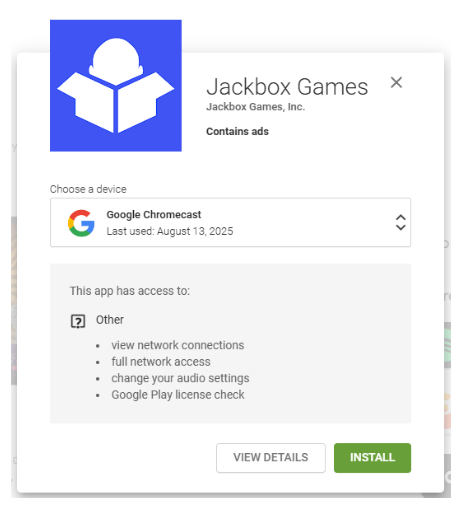
You should see a message that says that the app will be installed on your device shortly. This may take a few minutes to occur.
FireTV Installation Instructions
Your FireTV device must be running FireOS 6 or above to be able to install the Jackbox Streaming App
When you are given access to the FireTV app, you will receive an e-mail from Amazon.com with the subject "Amazon Appstore Live App Testing Invitation." Follow the instructions in that e-mail to install the app on your FireTV device
If you do not receive an e-mail, navigate to the appstore on your FireTV device and search for "Jackbox Games." You should be able to find and install the app if you are on the allowlist for the beta program.
2. Launch App
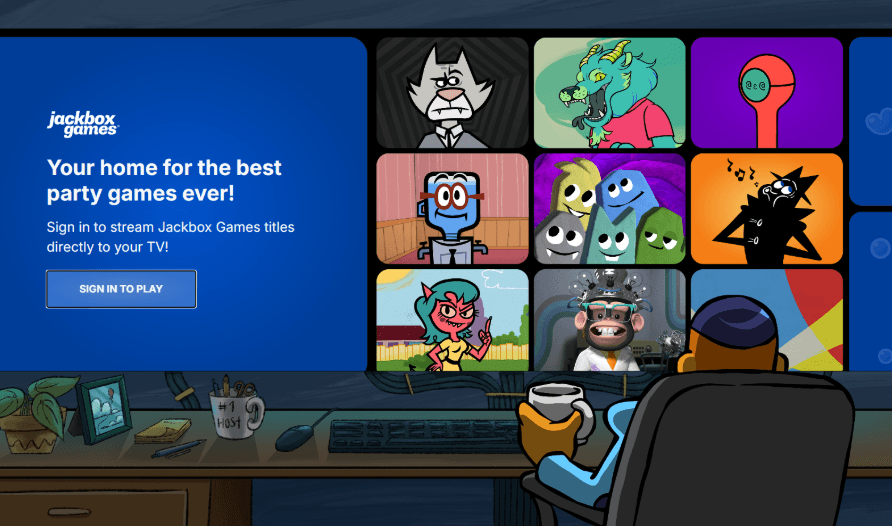
Navigate to the app and launch it. You will see a welcome screen with a sign in button.
3. Sign In on App
Select the button labeled “Sign in to play” and you will be taken to a page with a QR code and TV link code.
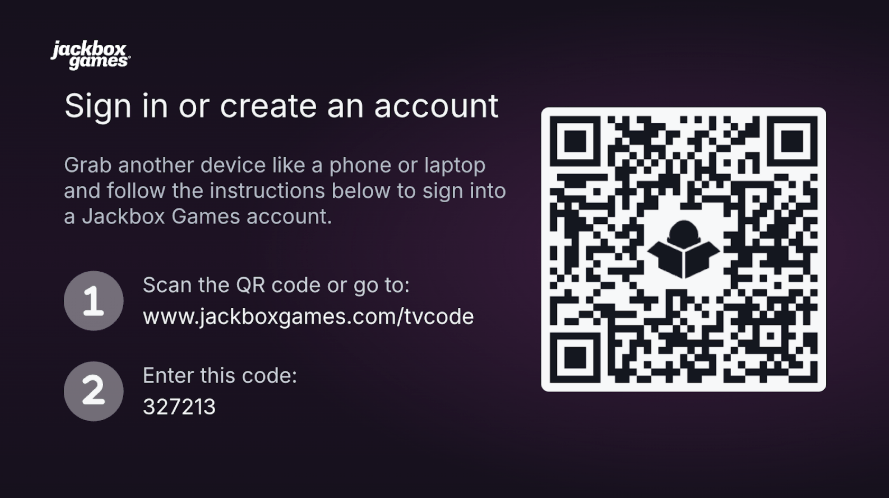
Follow the QR code (or the URL if you’d rather do it manually.) You may need to log in to your Jackbox Games account on the device you are using to log in.
Keep in mind that the e-mail address / account you use for the Google Play store might be different from the one you use for your Jackbox Games account.
Once you complete the process of linking the Jackbox Games Streaming App to your Jackbox Games account, the Jackbox Games Streaming App should transition to the game launcher screen.
4. Play Around
At this point you have access to the app and you can start playing around.
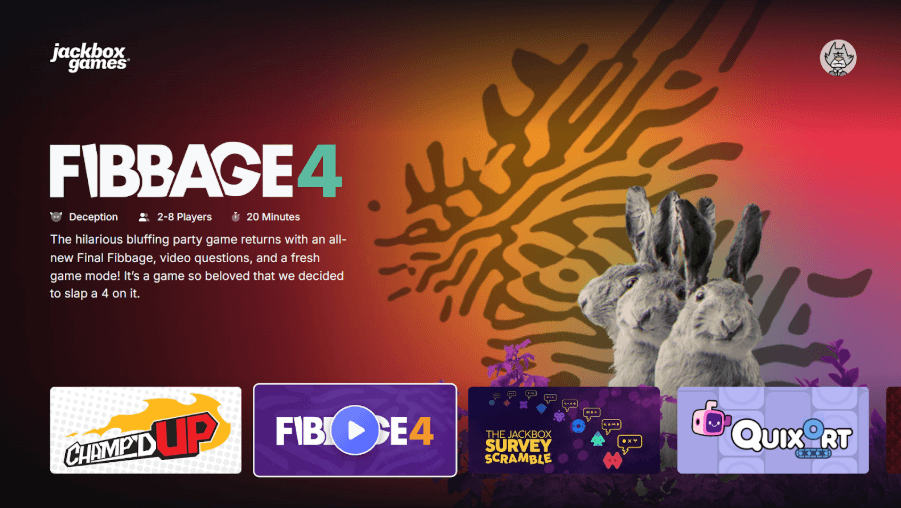
Select a game to launch it. You will see an advertisement before the game starts. Try playing games with some friends. Go to town!
Feedback
We will periodically send you e-mail updates when new versions of the app are released, which may include surveys to gather feedback on your experience.
We would love to hear all of your thoughts whenever you have them. If you’d like to send a message about your experience with the Jackbox Games Streaming App, send feedback to: streaming-feedback@jackboxgames.com
Thanks so much!!!


